Hubitat Publish Tools for Visual Studio
Most recipes on this site use the apps that come with Hubitat. Sometimes a device has no good driver, or I want an app that does one job my way. Then I write my own in Groovy.
Hubitat’s built-in code editor works, but I spend my days in Visual Studio. So I built an extension that lets me write the code there and send it to my hub. It is called Hubitat Publish Tools and it is on the Visual Studio Marketplace.
Who it is for
This is for people who write their own Hubitat drivers, apps, or libraries and already use Visual Studio on Windows. If you only install community drivers, you do not need it. Hubitat Package Manager is the easier path for that.
What it does
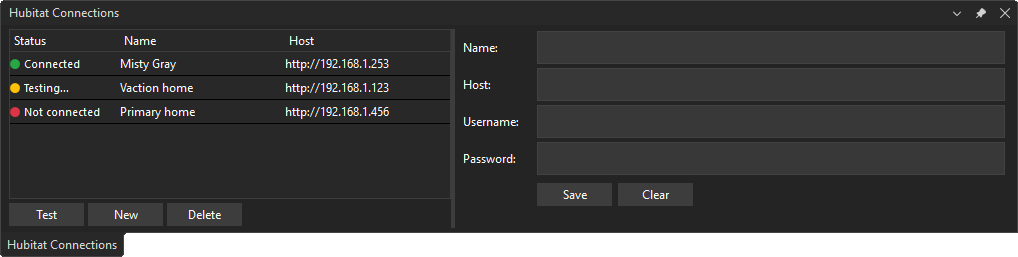
- Hub connections. Set up one or more hubs under Tools > Hubitat > Hub Connections. Hub passwords are stored in Windows Credential Manager, not in a settings file.
- Knows what a file is. It reads a
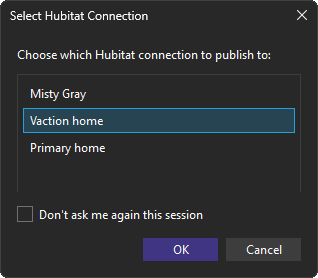
.groovyfile and works out whether it is a driver, an app, or a library. - Publish to the hub. Right-click a file and publish it. If you have more than one hub, it asks which one.
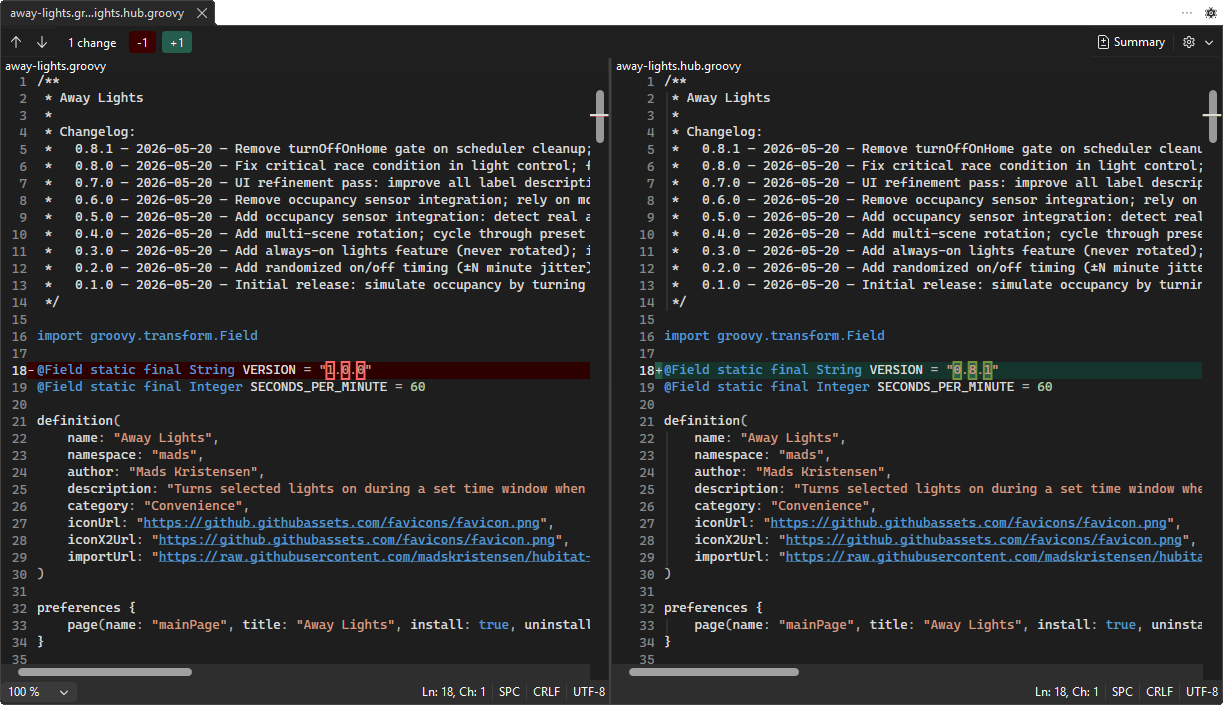
- Compare with the hub. Diff your local file against the version on the hub in Visual Studio’s diff viewer. The file has to be published once first.
- Replace with the hub version. Pull the hub’s copy into your file as a single edit you can undo.
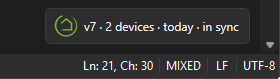
- Status in the editor. A small marker in the corner of the editor shows if the file is in sync with the hub, differs, or is not published yet.
- Publish on save. Optional. Turn it on from that marker’s context menu and every save goes to the hub.
- Connection check. It verifies that it can reach the hub before it publishes.
The marker in the corner of the editor shows the publish state for your hub.
Compare with the hub opens your local file and the hub version side by side.
Getting started
- Install Hubitat Publish Tools from the Visual Studio Marketplace.
- Open Tools > Hubitat > Hub Connections and add your hub’s IP address and credentials.
- Open a Hubitat
.groovyfile, right-click it, and publish.
The Hubitat Connections window lists each hub with its status and host, and has fields for name, host, username, and password.
With more than one hub set up, it asks which one to publish to.
The source code and issue tracker are on GitHub, in a repo called HubitatVS. Bug reports and pull requests are welcome.
Examples to look at
All of my own Hubitat code lives in my hubitat-drivers repository. It has drivers for devices like a Daikin WiFi thermostat, a Touchstone fireplace, and Fully Kiosk Browser tablets. It also has apps like Appliance Cycle Monitor, Away Lights, and Auto Away Mode. I build and publish all of them with Hubitat Publish Tools, so they are a good starting point if you want to see how a real driver or app is put together.